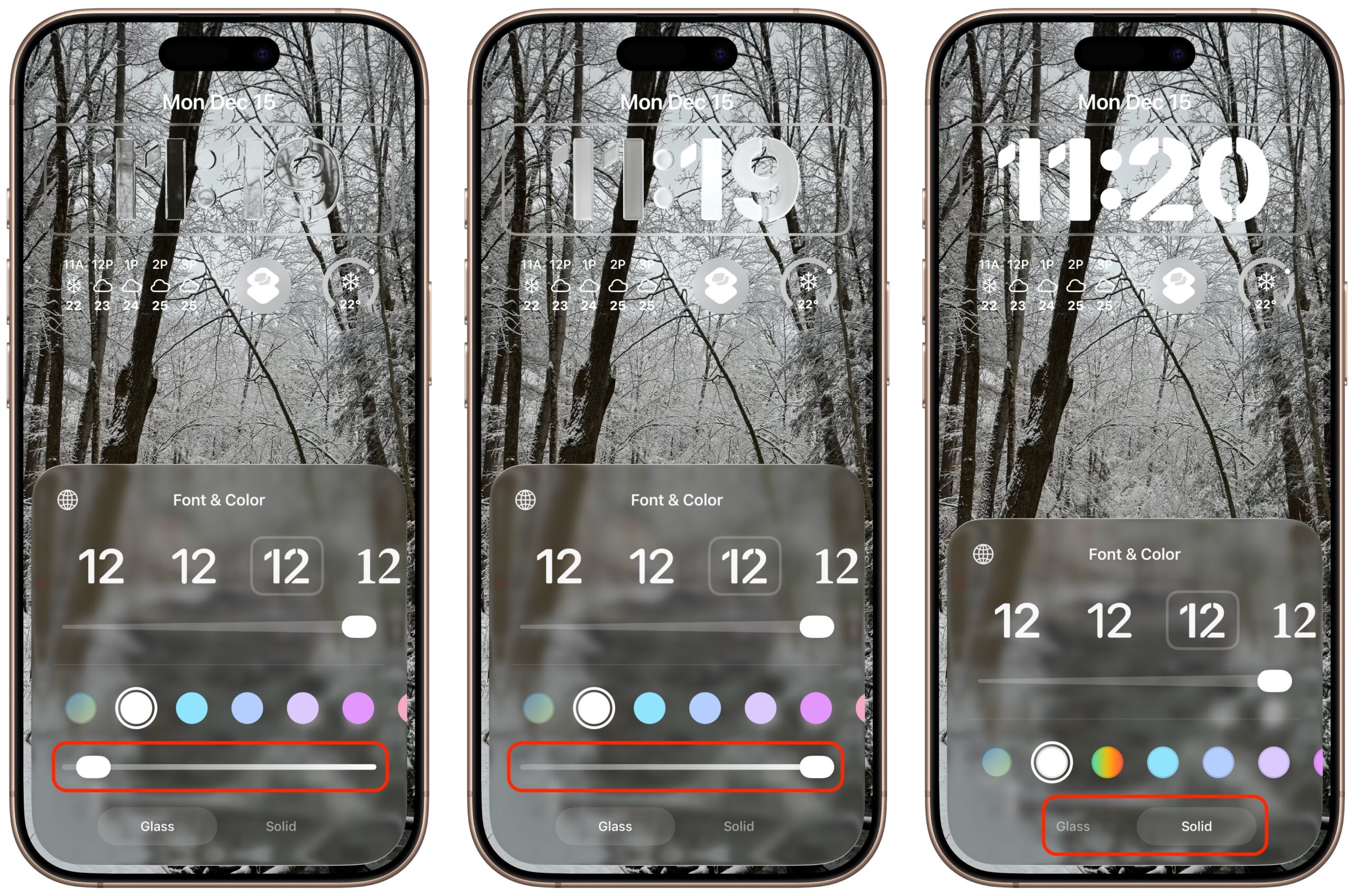

Do you have trouble reading the clock on your iPhone? After upgrading to iOS 26, the lock screen clock becomes transparent, which can make the time hard to read depending on your background image. Fortunately, you can fix this easily by making the clock solid, not transparent.
Here are instructions to make your iPhone’s clock more readable.
1. With your iPhone locked, press and hold your finger on the Lock Screen.
2. After 1-2 seconds of holding your finger on the Lock Screen, you should see a Customize button appear at the bottom of the screen. Tap on Customize.
3. Tap on the time of day, some options should be listed at the bottom of the screen. Toggle the button from Glass to Solid. Use the image below as a guide.
4. Tap in the middle of the screen to dismiss the Glass / Solid options.
5. Tap the Done button in the upper right corner to save these changes.