
If you want to secure your online accounts, a password manager is the best way to do this. Using a password manager offers the following advantages:
- It speeds up signing-in to a website by auto-filling your username and password.
- It offers to save your username and password when you create a new account.
- It helps you break bad habits such as reusing passwords, using easily guessed passwords, or using variations of a password.
- It can offer long and random, but memorably unique passwords for each of your accounts.
- It syncs your passwords between your various devices so the password you need is always at your fingertips.
- It audits your passwords and notifies you of compromised passwords, weak passwords, and re-used passwords.
- It gives you a way to securely share passwords with family members or colleagues.
A common concern from clients about using a password manager is that they feel it’s too risky to put all of one’s passwords into one place. They fear the password manager will be a target for criminals. Actually, a password manager is a better option than any of the other options commonly used.
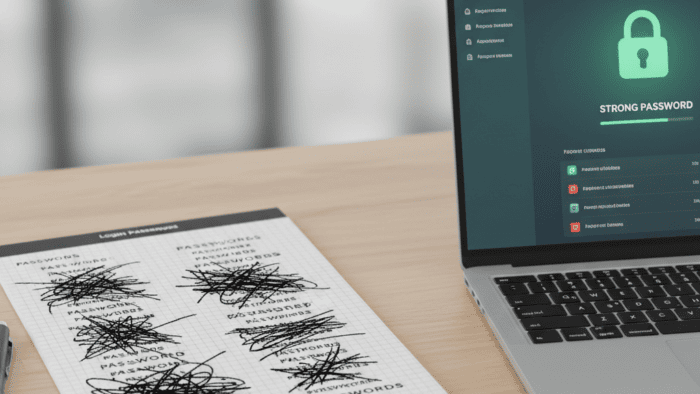
I’ve seen clients store passwords in Word documents, Excel files, in the Notes app, and the Reminders app. None of these options are secure as a password manager. Storing passwords on a piece of paper may seem secure, but these lists become difficult to read as they get updated and don’t offer the auto-fill, auto-save, or audit features. The list isn’t always handy, so people rely on trying to remember their passwords and thus re-use them. Or they reset them when the list isn’t handy and then forget to write them down. Thus, I don’t endorse this option as a way to increase the security of one’s account.
It’s time to embrace a password manager and go through its learning curve.
I’ve used a password manager, 1Password, for around 15 years and have encouraged the use of password managers for nearly that long for many users. However, due to the learning curve, I didn’t recommend password managers universally. This is no longer the case. With the advent of passkeys, I now recommend that everyone use one since passkeys must be stored in a password manager. If you’re unfamiliar with passkeys, check out my overview of passkeys. If the prognosticators are to believed, passkeys will eventually replace passwords. Since passkeys can’t be written down, they have to be stored in a password manager.
You might be surprised to learn that you are likely already using a password manager, or maybe even more than one password manager. If you ever click the button to tell your browser to remember your password, you’re already using a password manager.
Every web browser includes its own built-in password manager. This includes Google Chrome, Firefox, and Safari, the three most commonly used web browsers. Apple enhanced Safari’s built in password storage feature into a basic password manager, named Passwords, in the fall of 2024. Passwords has Browser Extensions for Chrome and Firefox so it can be configured as a centralized location for storing all of your passwords, even if you use multiple web browsers. In a future Tech Tip, I’ll talk about how to consolidate one’s passwords stored in multiple web browsers into Apple’s Passwords and configure it to be the only password manager you use on your Mac.
Photo generated by Ellydee.ai